Legacy Code Intelligence Toolkit
This project helps developers understand their legacy codebases with AI. The project focuses on discovering major components, interesting flows, classes, code dependencies, and call graphs in the codebases and curating them into comprehensive yet digestible series artifacts.
Role
UX Design
User testing
Team
1 engineers
2 AI researcher
Context
Large enterprises run on systems built decades years ago—in COBOL, VB6, and other legacy technologies. The problems of these inherited systems are:
- No documentation
- No subject-matter experts left
- No visibility into dependencies or business rules
- Years of band-aided code paths and special-case logic
Two user group. One challenge.
There are multiple user involved when modernizing a codebase, IT specialist, compliance, lead architects, etc. We decided to focus on the two core ones. Below is their role as part of modernization teams.
Developers,
trace logic & dependencies
They spent hours jumping between outdated code files just to understand a flow.
They needed visibility into how one function connects to the next—calls, data inputs, edge cases.
Business analyst,
need business inside the system
Analysts model process gaps, propose new initiatives, and draft requirements. But they couldn’t confirm what the system actually did.
They needed to understand the business logic without reading code.
Base on these persona, we were able to define our HMW statement that serve both groups.
How might we give developers and analysts a shared view of system behavior, so they can make safe, confident changes?
Open Canvas Approach
As part of research, we looked at how other competitors like IBM Watsons or Core Migration are showing dependency. We cross-compare it with tools that need to portray multi-relationships among elements. There was a pattern that evolved, open canvas. We decided to experiment on this but quickly failed due to the following reasons:
❌ Too unstructured and unorganized
❌ User get lost in details
Before modernization can begin, teams must understand the system, aka what calls what, where business rules live, and what processes or reports depend on each other.
Design Principles:
Base on interviews, we were able to determine what needs to be included in our product.
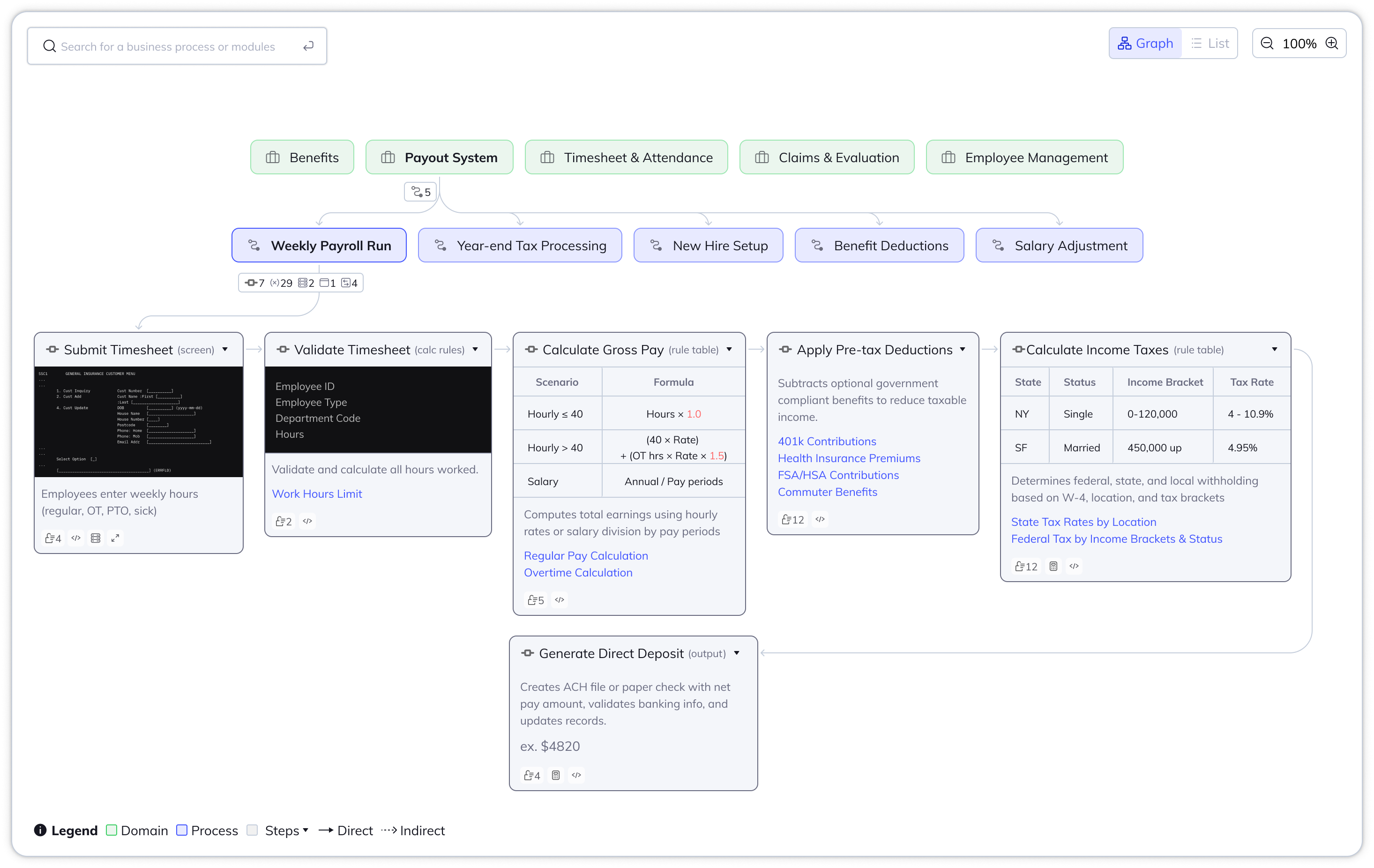
- Show process description: Related code artifacts should be clustered into business domain and process to ensure human-readability.
- Traceable source of truth: Let user trace what's under the hood when needed, whether that's code walkthrough, database, calls, screen render, inputs/outputs.
- Editable on its own: Anything generated by AI should have the flexibility to match the terminology their organization is using.
Open Canvas Approach
As part of research, we looked at how other competitors like IBM Watsons or Core Migration are showing dependency. We cross-compare it with tools that need to portray multi-relationships among elements. There was a pattern that evolved, open canvas. We decided to experiment on this but quickly failed due to the following reasons:
❌ Too unstructured and unorganized
❌ User get lost in details
Open-canvas exploration
Sidebar-Heavy Approach
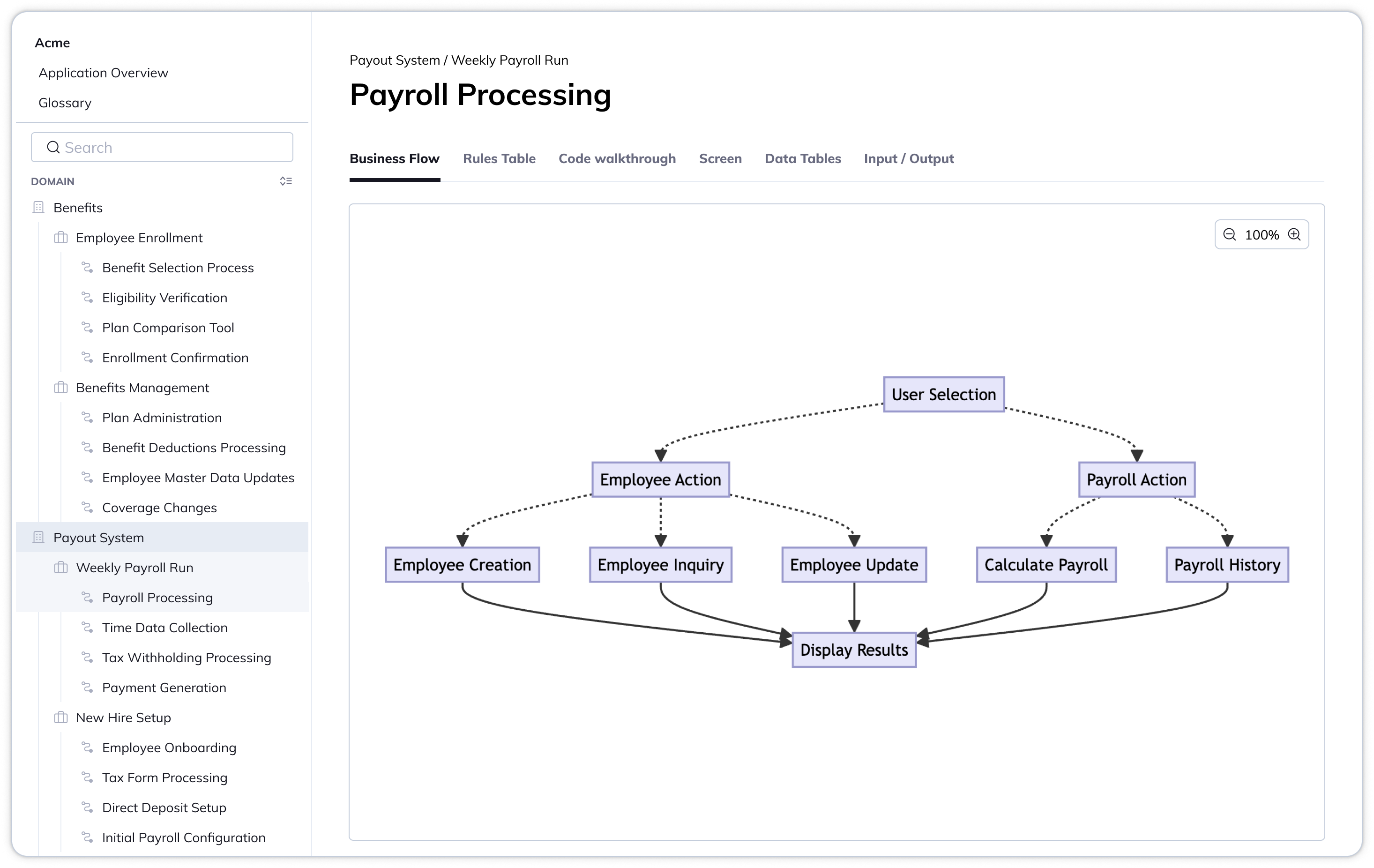
We then try to go for a more enterprise, dense application approach, where sidebar, pages, and tabs are used. Think ClickUp, Salesforce, etc. This was a better approach, but it also has its problems:
❌ Long, repetitive lists
❌ Search became primary entry point
❌ Exploration requires "knowing" the business terms, hunting terminology still is unpreventable (just like hunting code files)
Sidebar as main nav exploration
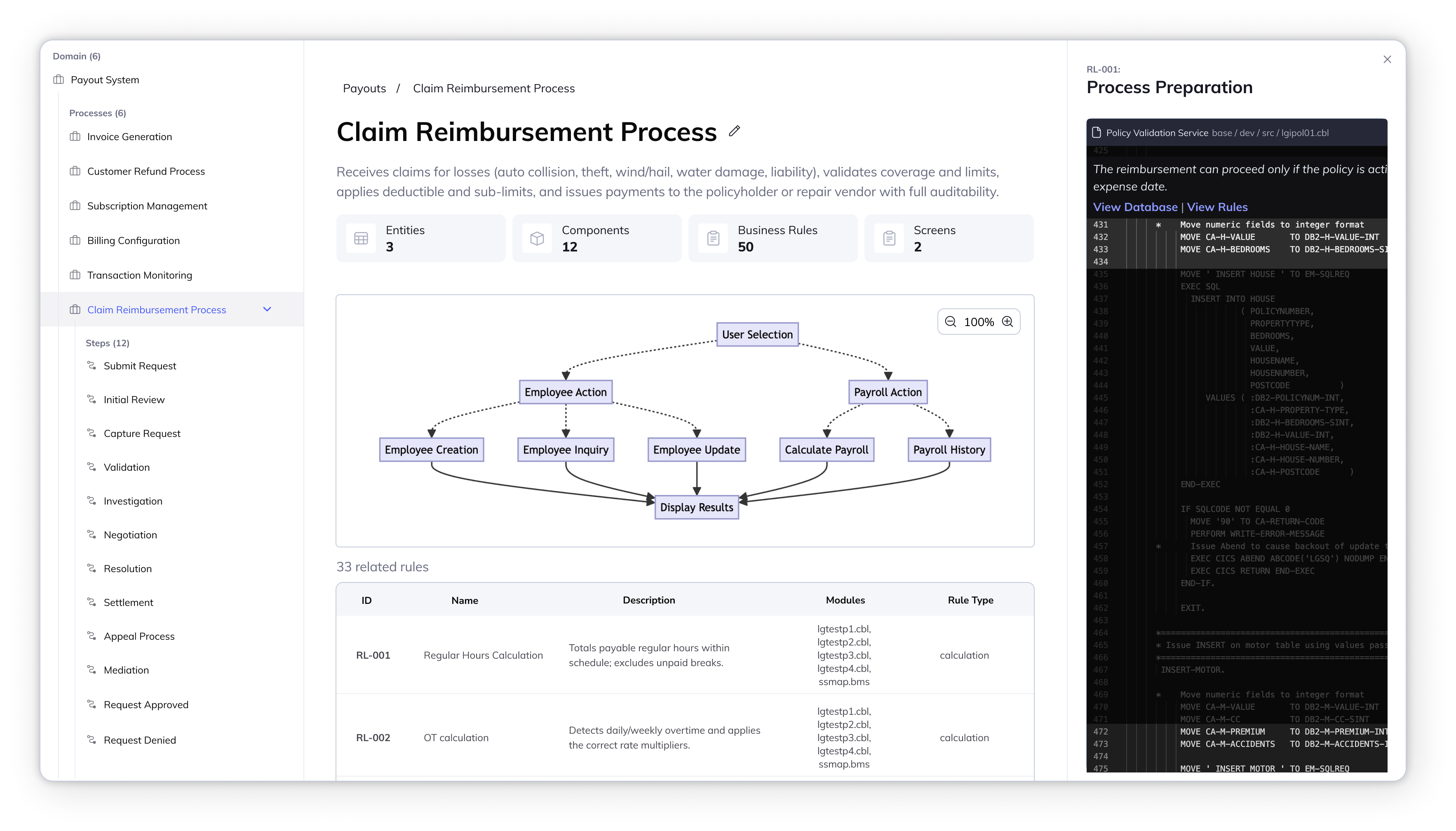
Revised main sidebar & details
We revised the sidebar, so we focus them on the selected domain instead of showing the whole list.