AI-assisted doc creation
The project shows a series of assistive creation for technical code documentation platform — from Pull Request to Doc, Code Flow Diagrams, Doc Rules.
Role
AI integration strategy
UX design
Prompt engineering
Duration
3 months (2023 Q2)
Impact
- AI exposure led to a 26.1% conversion rate from free to trial users — demonstrating clear monetization potential
- 62 total workspace enabled AI
- initiative made us cope up with market’s competition
Context
When ChatGPT explode around the year of 2023, our company started to think about how we can stay relevant in the market. Since we are a documentation platform, we started to look at where it make sense to integrate AI, and not just
Identify AI opportunities
We took inspiration on both note-taking platform and code assistant tool to find areas we can integrate AI. They are mostly categorized in 3 areas — creation, instant understanding, and discovery. Here are some of the candidates:
| Name |
Description |
Category |
| Text auto-completion |
Complete current word or phrase while user types |
Discovery |
| Improve writing |
Improve written text and phrases with AI |
Creation |
| Code changes to doc⭐ |
Turn any release code changes into doc |
Creation |
| Topic to doc |
Get suggestion on doc outline or sections |
Creation |
| Mermaid diagram⭐ |
Help draw diagram without having to know syntax |
Creation |
| Doc rules⭐ |
Identify use cases for docs base on its content |
Discovery |
| Question to doc |
Turn FAQ or recently asked questions into a doc |
Question, Creation |
| Explain snippets |
Fill-in description for included code blocks |
Creation |
We decided to use prioritization matrix to identify the top 3 items we want to deliver, making sure we are weighing both easy technical implementation and strong user needs.
Integrating AI
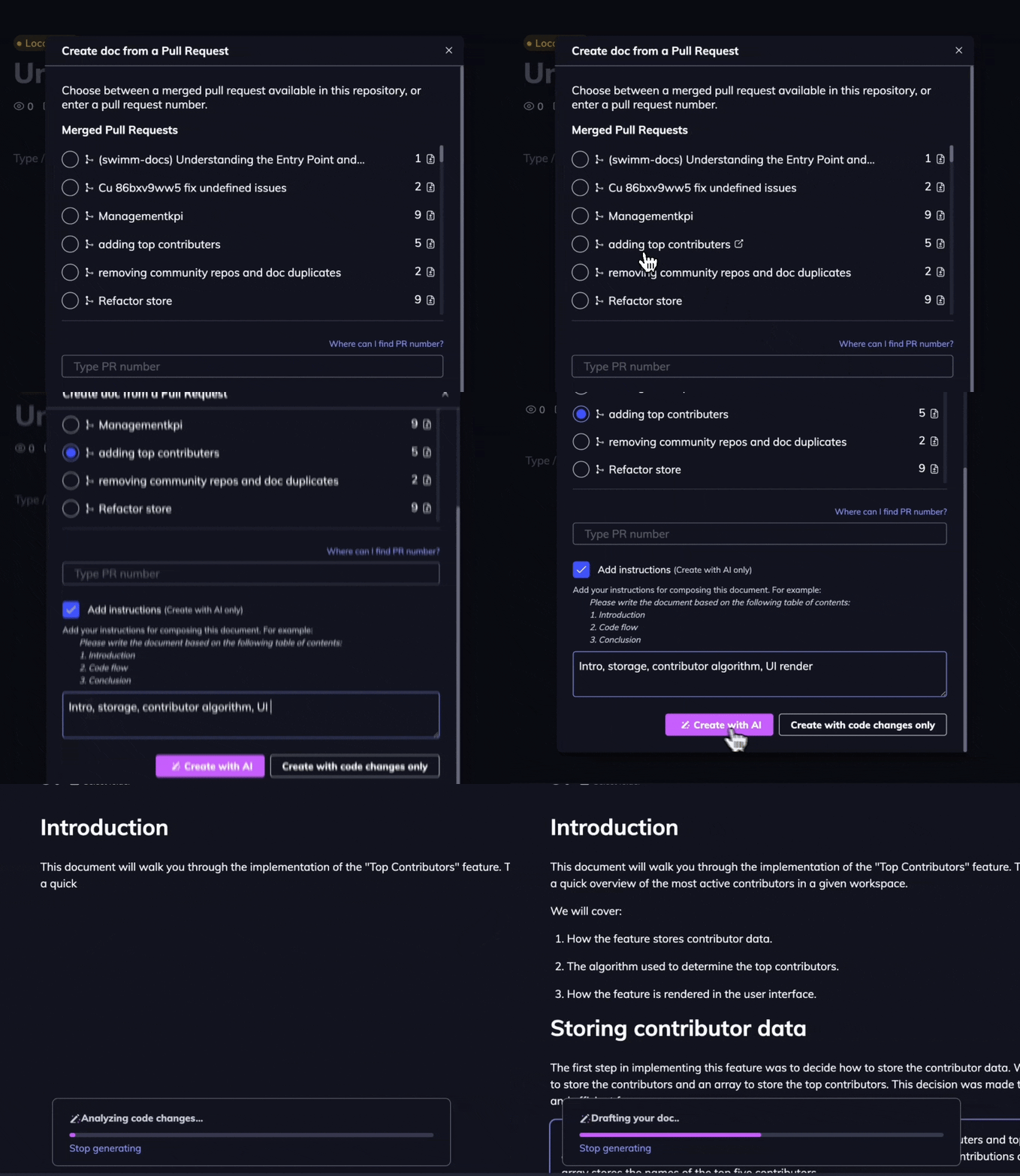
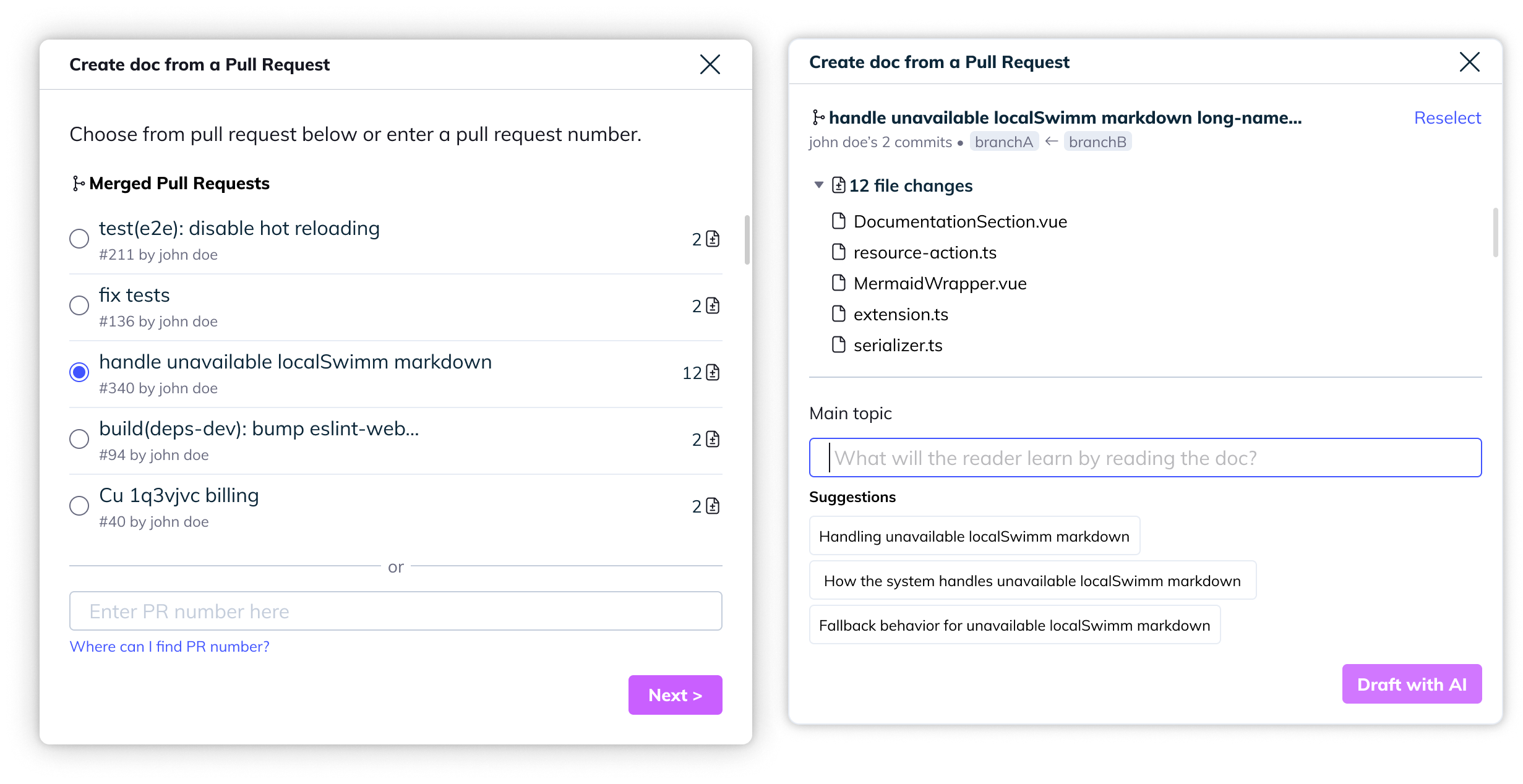
Some of these features already have an initial placement and functionality, we would like to integrate back into what we currently have. For example, before AI, we provide pulling in code-changes for developers to have a starting point to write their code, but everything written is manual through developers. Now, we can add another step for AI to synthesize the code changes and other variables such as PR (pull-request) title, discussion, etc to produce a draft.
As part of the whole feature, we've also changed our GitHub comment into one that has AI integrated on it.
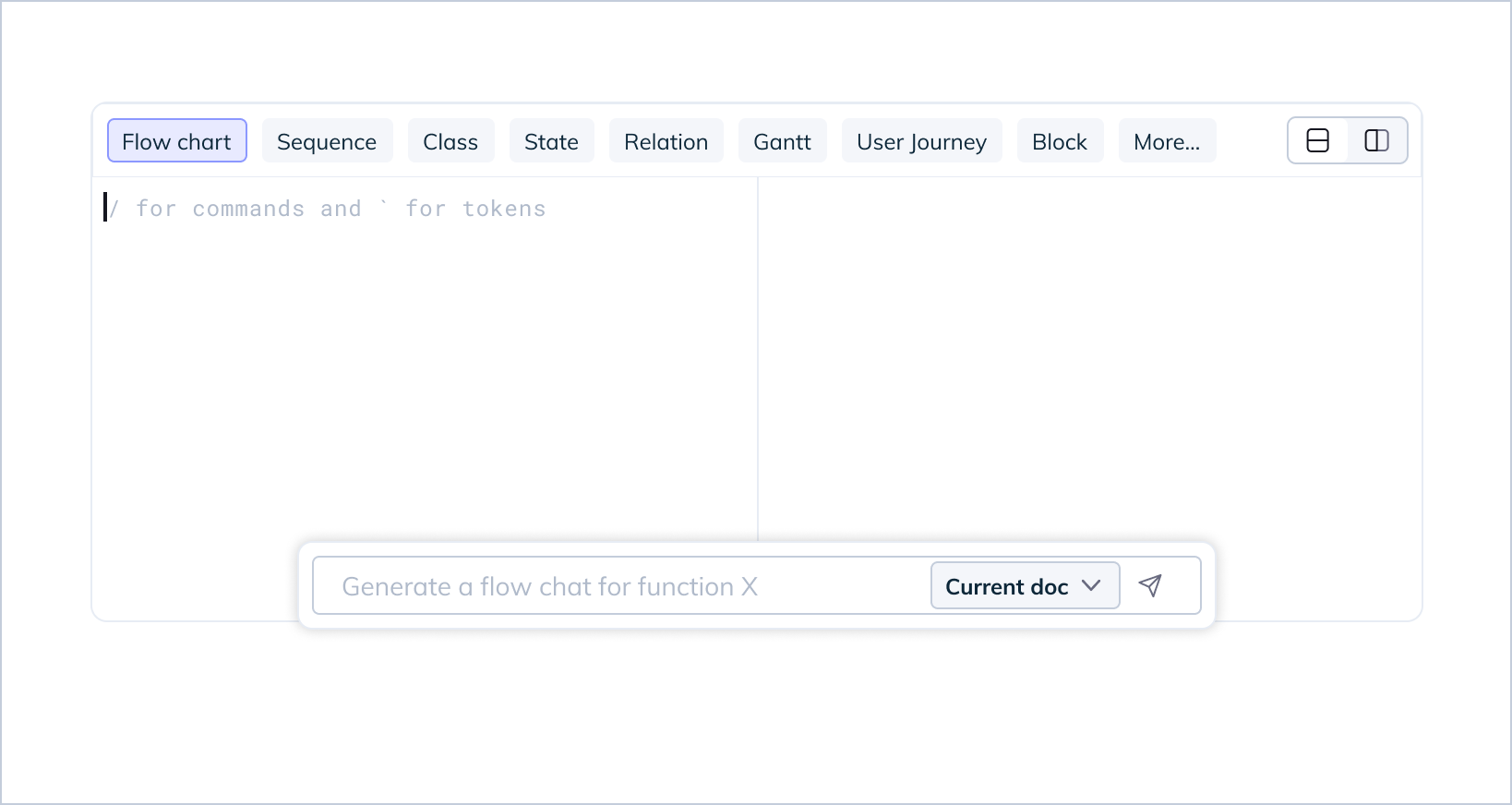
Unlike code changes, which is an end-to-end, widget type creation, where AI drafts a whole doc for you to edit, integrating AI with Mermaid means you can trigger it at anytime whilst creating doc. This mean aside from adding entry point to an empty doc, it's more important to present the newly added AI capability when user triggers it from the slash command.
Some design considerations we need to figure out are:
- How visible do we want this to be? Do we show this on demand or hidden
- Do we want to show AI only on empty mermaid block or show even if there's existing diagram
It was clear that the biggest problem for users was to remember or work with Mermaid
syntaxes, hence the decision to keep it visible at all times.
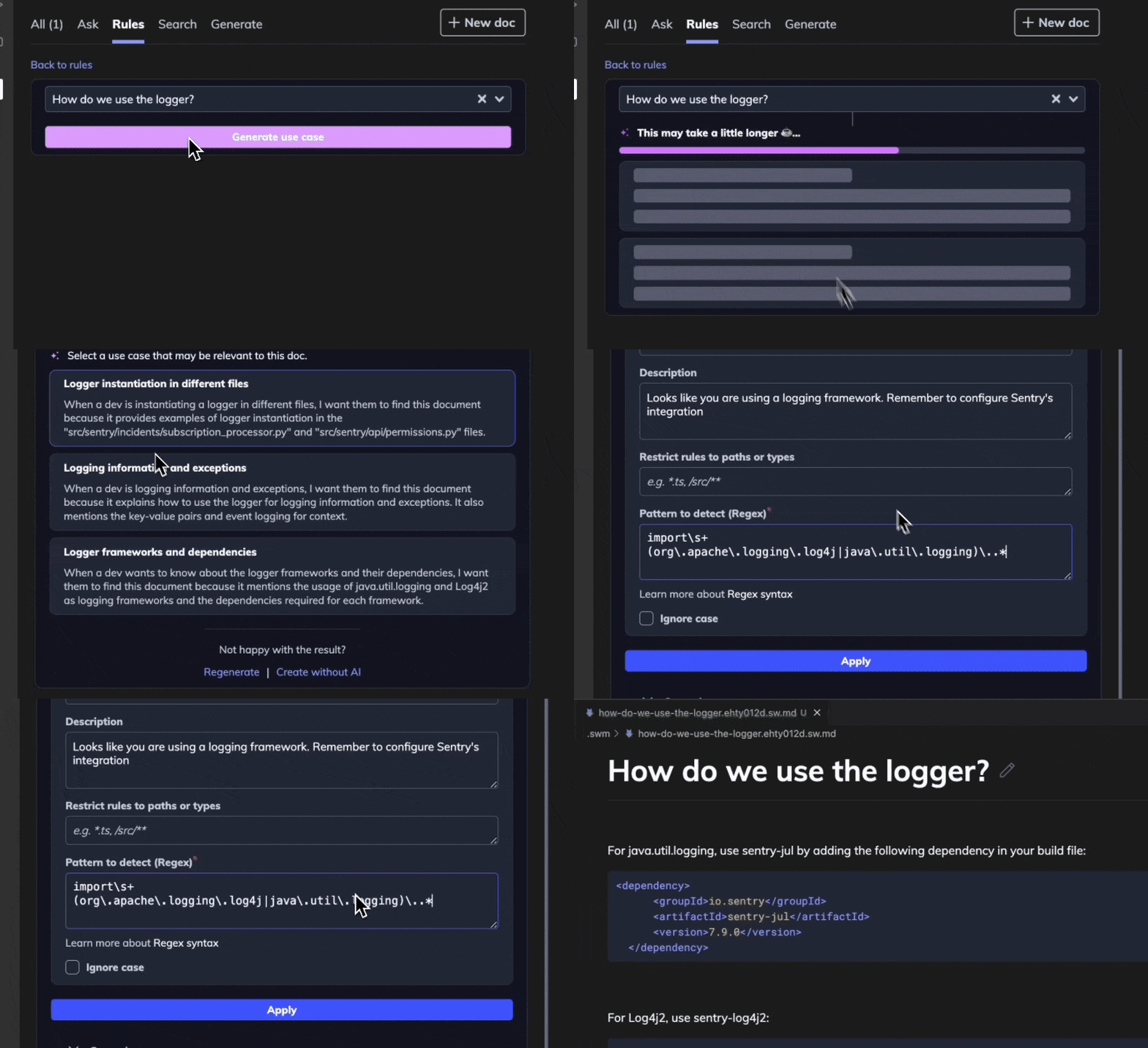
For doc rules, since we want to support creating the use case both with or without a doc, it was clear that we can't have this entry point on the existing doc sidebar. We decided to keep it only in our coding platform plugin.
Create rules with doc:
- User selects a doc
- User ask AI to generate potential use cases
- User selects best match use case, or
- User define details — regex, desc., etc
Create rules with regular expression (regex):
- User selects "no doc" option
- User define details — regex, desc., etc
Code changes to doc
Instantly create technical code documentation from code changes, along with other additional insights.
Code flow diagrams
Generate visual diagrams to explain your codebase, without needing to know any Mermaid syntax.
Doc rules
AI suggests use cases and triggers for when documentation should appear, ensuring coding guidelines surface at the exact right moment.